 PowerShow
Every kind of output
Projectors and screens over HDMI, DisplayPort and USB-C, AirPlay displays, NDI streams and Blackmagic Design DeckLink or UltraStudio — all at once, all showing exactly what the operator chose.
Every screen. One running order.
Presentation software for churches and live events, designed for the Mac.
Free for churches, charities and not-for-profits · macOS 15 Sequoia or later · Apple silicon (M1 or later)
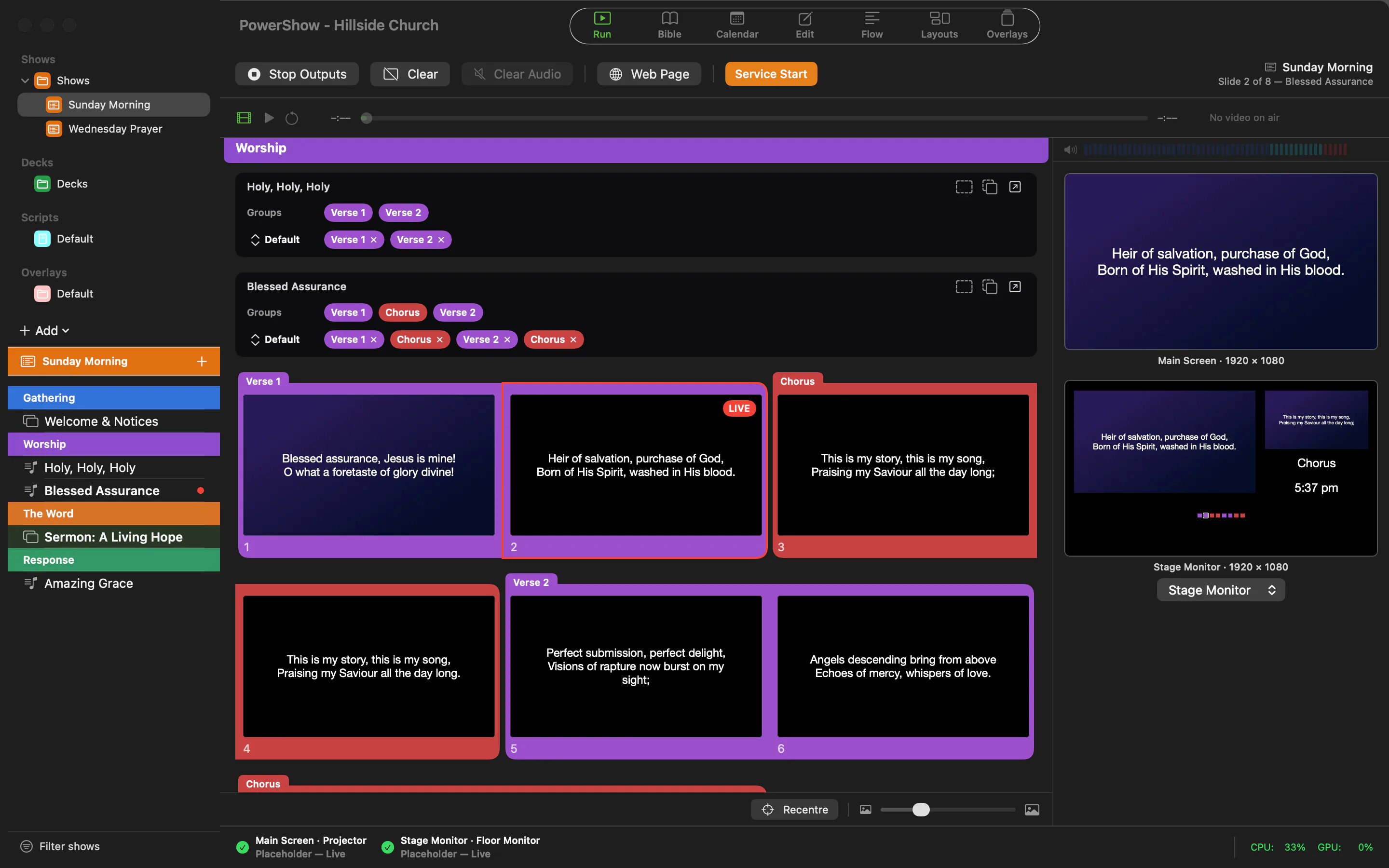
PowerShow puts lyrics, Bible readings, video, cameras and live information on every screen a service uses — projectors and TVs, AirPlay displays, NDI® streams and SDI through Blackmagic Design DeckLink — at the same moment, from one clear running order.
It is built for the people who run it: volunteers and operators working in front of a room, with no confirmation step between choosing a slide and seeing it on the projector, and nothing that fails silently. A slide that loses its media says so; a library is backed up before a new version touches it.
Run
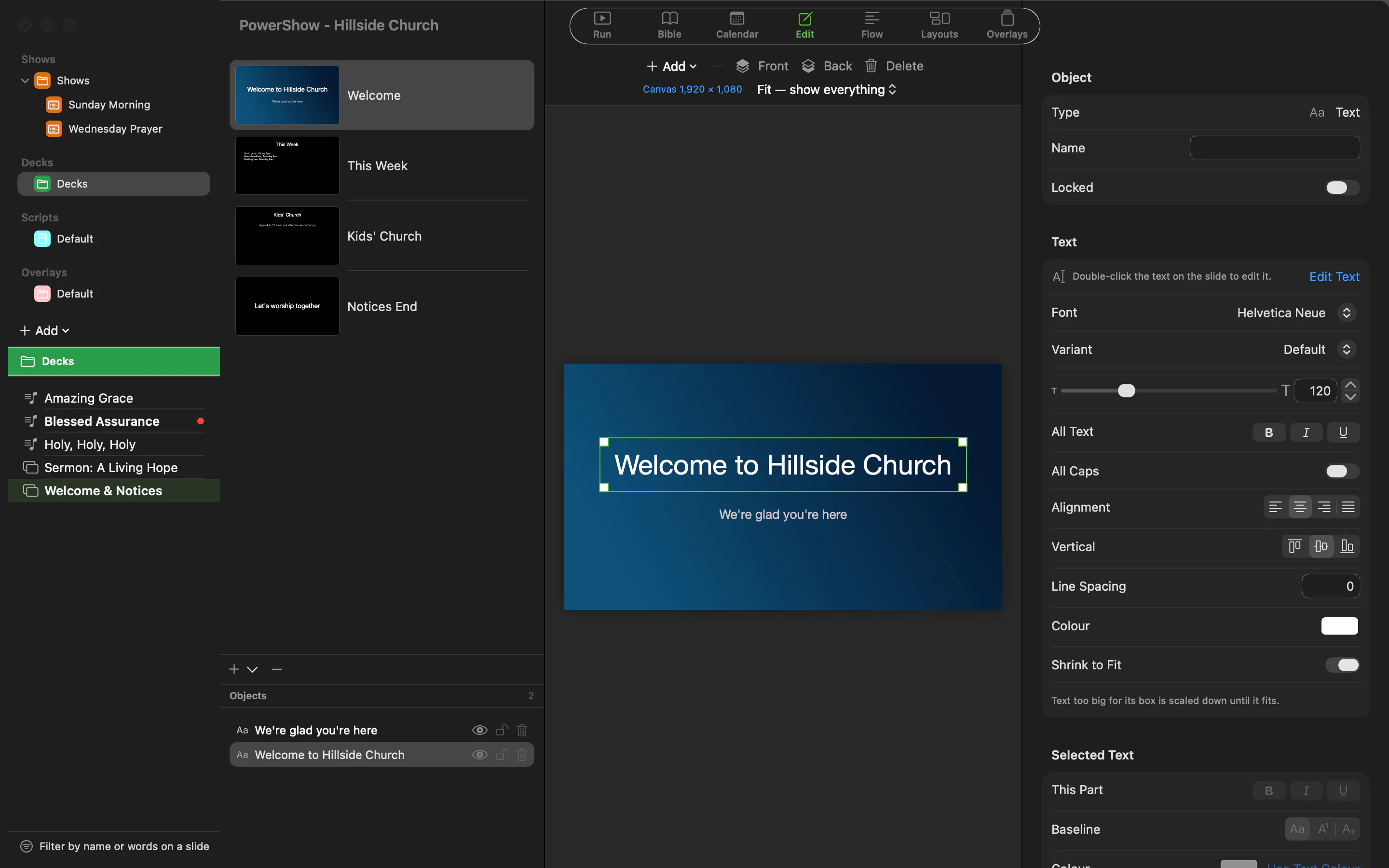
A show is your running order: the songs, readings and notices of a service, divided into its parts by coloured section headers. Click a slide and it is on every screen at once.
Songs
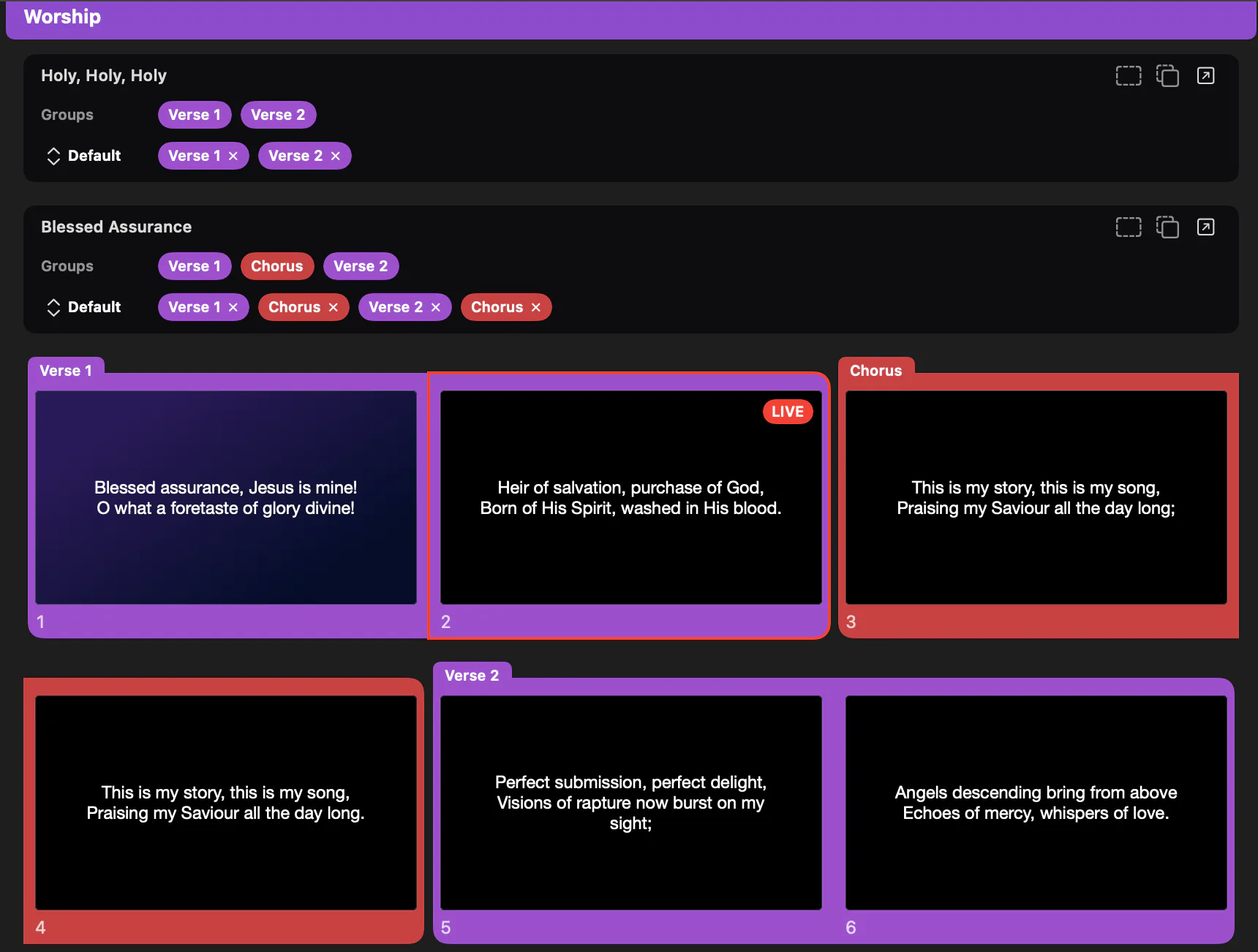
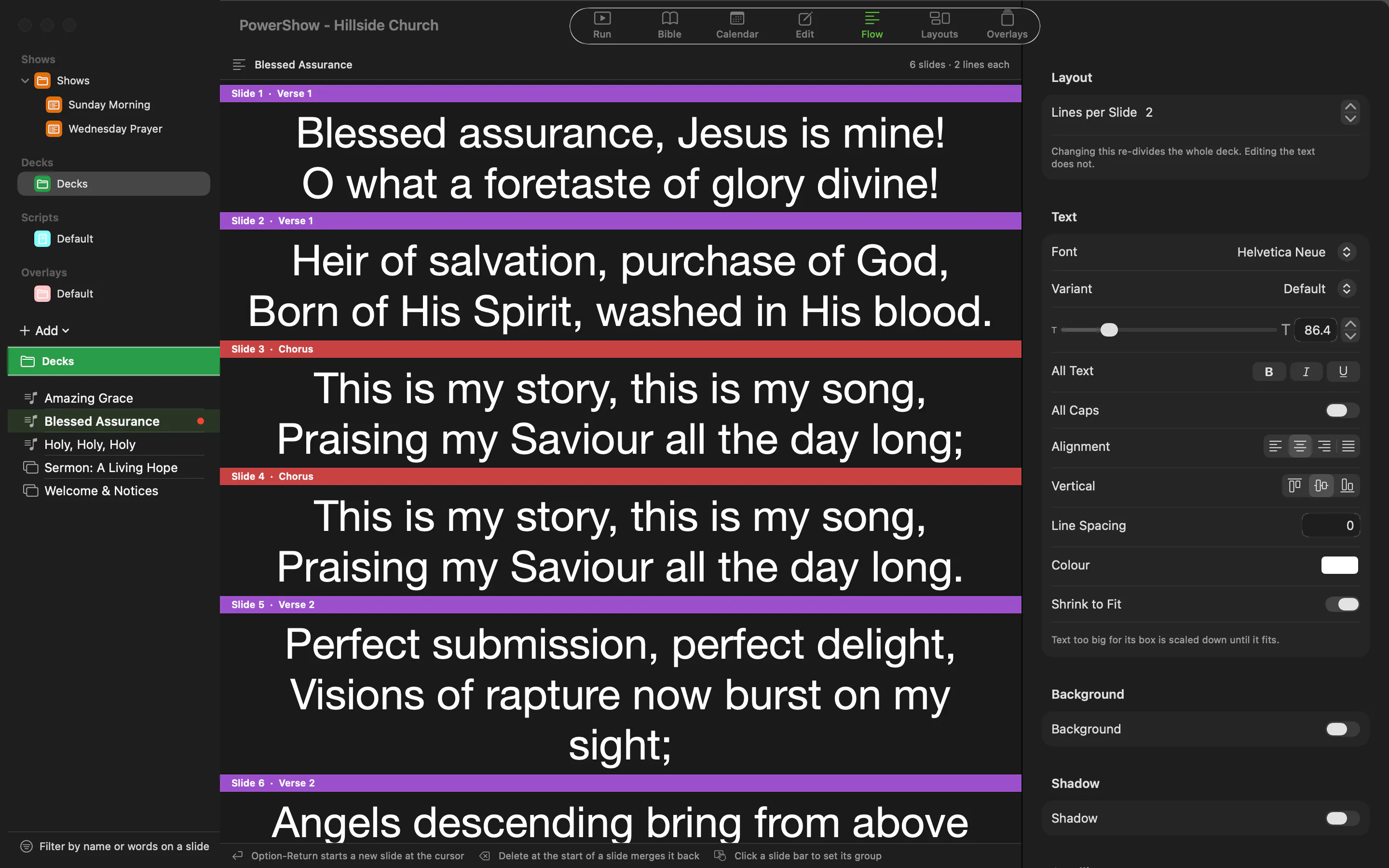
Words become slides as you type. Breaks go where you put them, a section is never split across two slides, and text shrinks to fit rather than losing its last line in front of the room.
Design
Rich text with shadows and scrolling credits, shapes, lines and arrows, images, gradients, QR codes, web pages and templates — with alignment guides, rotation and undo.
Every screen is drawn from the same picture, so the thumbnail you click is exactly what reaches the projector.
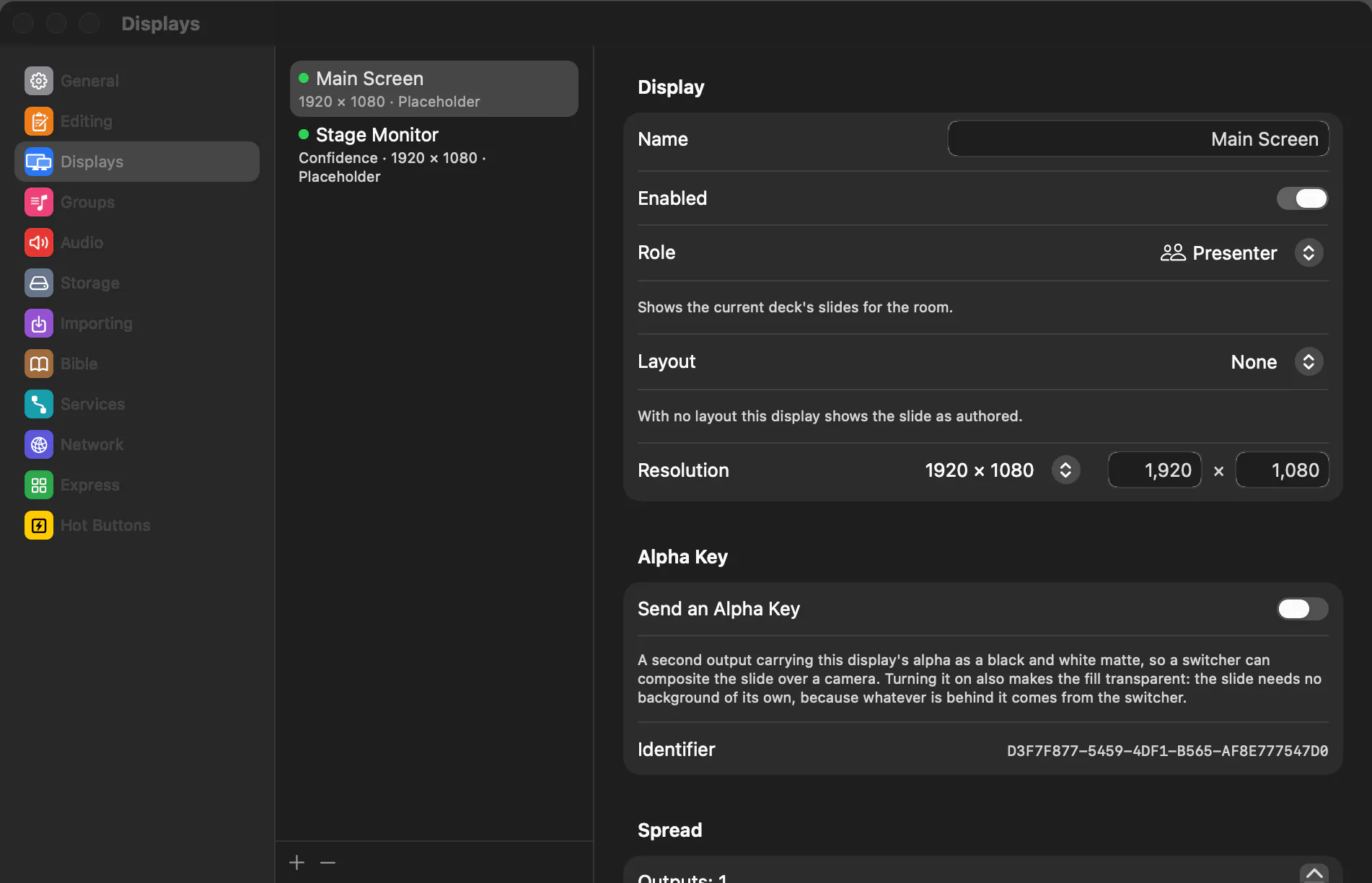
Outputs
Projectors and screens over HDMI, DisplayPort and USB-C, AirPlay displays, NDI streams and Blackmagic Design DeckLink or UltraStudio — all at once, each showing exactly what the operator chose.
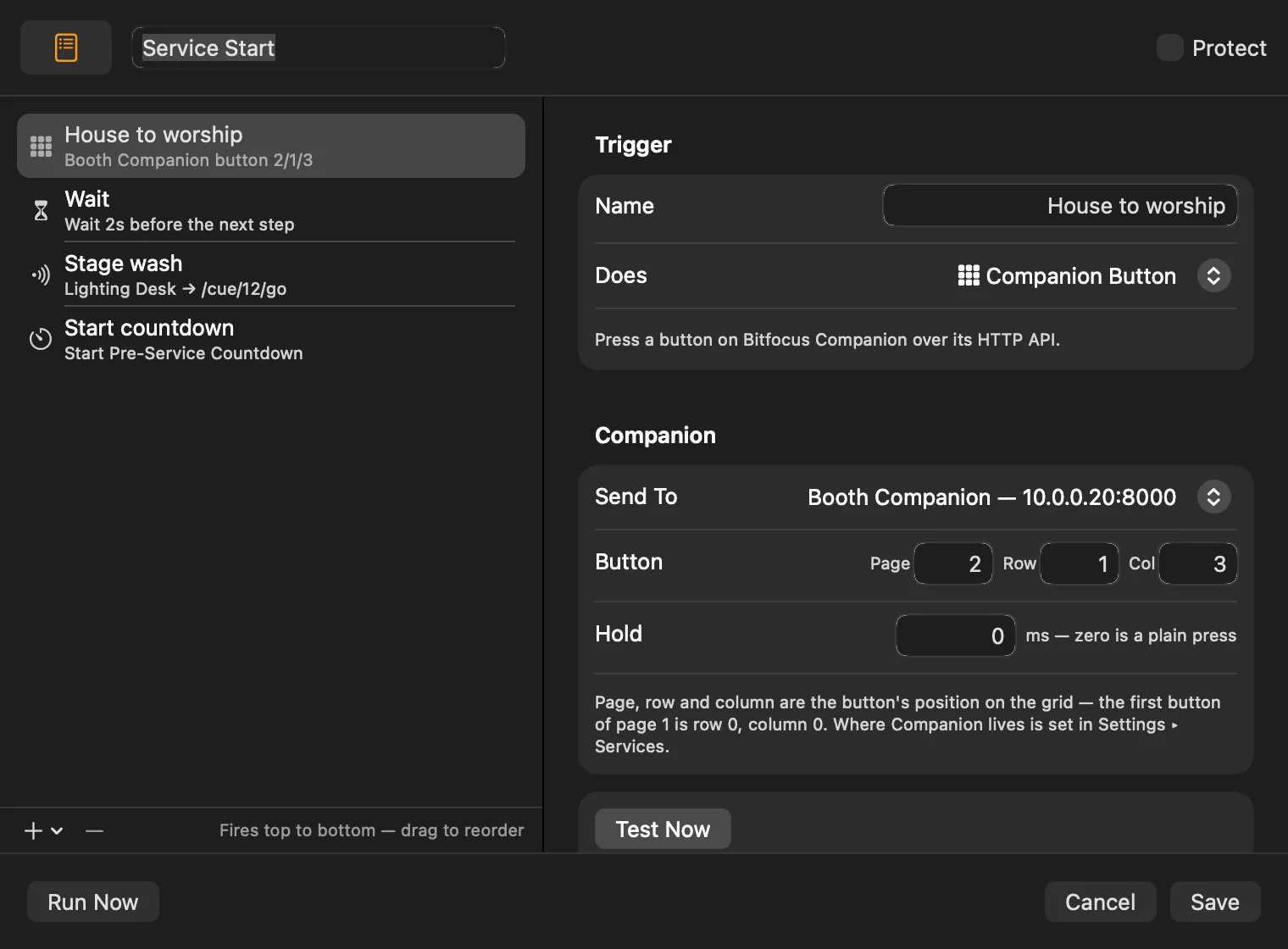
Show control
Slides and scripts press Bitfocus Companion buttons and send OSC, MIDI and RossTalk as they go on air — so the lights, cameras and switchers follow the service without anyone reaching for another desk.
Projectors and screens over HDMI, DisplayPort and USB-C, AirPlay displays, NDI streams and Blackmagic Design DeckLink or UltraStudio — all at once, all showing exactly what the operator chose.
Spread one canvas across several projectors with overlap and blend ramps, or let the projectors blend. Video across a wall starts in step on every projector.
Bring whole libraries across from ProPresenter 7 and import files from CCLI SongSelect, OpenLyrics, OpenSong and ChordPro. Sections keep one colour across every song, and arrangements set the order sung.
Paste a song and it becomes slides. Breaks go where you put them, a section is never split across two, and text shrinks to fit rather than losing its last line.
Fetch a passage in your licensed translations from API.Bible, dressed in your own layout and divided across slides to fit — on screen in seconds, or saved as a deck.
Rich text with shadows and scrolling credits, shapes, lines and arrows, images, gradients, QR codes, web pages and templates — with alignment guides, rotation and undo.
In and out points, looping, colour, blur and vignette effects, cues at moments in a clip, and a scrub bar with a live preview.
Cameras, NDI sources and Blackmagic Design DeckLink or UltraStudio captures, placed on a slide like any picture and sent to every output.
Layouts for the band and the stage: the current and next slide, the section coming up, clocks and countdowns — or lyrics restyled for a stream.
A speaker's name, a notice or a logo over whatever is on air, sent to the displays you choose and taken down on its own timer.
Shows of decks with coloured section headers, decks within decks, transitions, timed reels, and covers that cue the room as an item begins and ends.
Lyrics on the auditorium and a notice reel in the foyer from one Mac, each deck on its own displays, and protected decks that nothing can displace.
Slides and scripts press Bitfocus Companion buttons and send OSC, MIDI and RossTalk as they go on air — lights, cameras and switchers moving with the service.
Countdowns that change colour and fire cues as they run, and a weekly calendar that starts the pre-service loop on its own.
Music beds and playlists with fades that carry across slides or stop with the item, an input-to-output audio matrix, and a level meter.
A web remote on any phone, a live running order for the band, an HTTP API, and a Bitfocus Companion module.
A screen of big buttons for volunteers: the service starts with one press, and the rest of the app stays out of the way.
The library is backed up before a new version opens it, missing media is marked rather than silently blank, and quitting always asks first.
PowerShow is free for churches, charities and other not-for-profit organisations. It runs on macOS 15 Sequoia or later, on Macs with Apple silicon (M1 or later).